
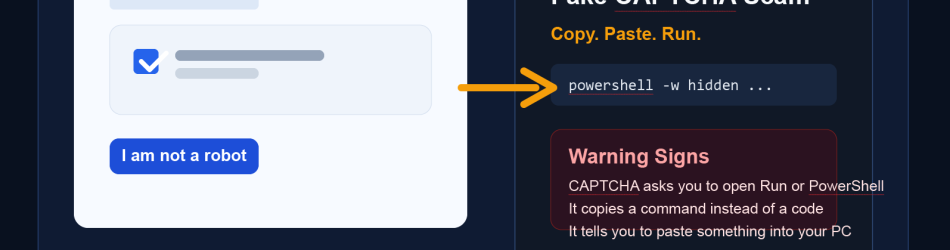
Most people have learned to be cautious with suspicious links, fake login pages, and old-fashioned CAPTCHA spam. But scammers are evolving. A newer tactic is using fake CAPTCHA pages to convince people to copy and paste malicious content into their browser, Windows Run box, terminal, or PowerShell prompt. The victim thinks they are completing a security check. In reality, they are launching the attack themselves.This scam is dangerous because it does not always rely on a traditional download. Instead, it abuses trust, urgency, and confusion. The page may say something like, “Prove you are human,” then display a few steps that appear harmless. Those steps often include clicking a button to copy a code snippet and then pasting it somewhere on the computer. That copied content is not a verification code. It is often a command that downloads malware, executes a script, steals saved credentials, or gives a criminal remote access to the system.
How the scam works
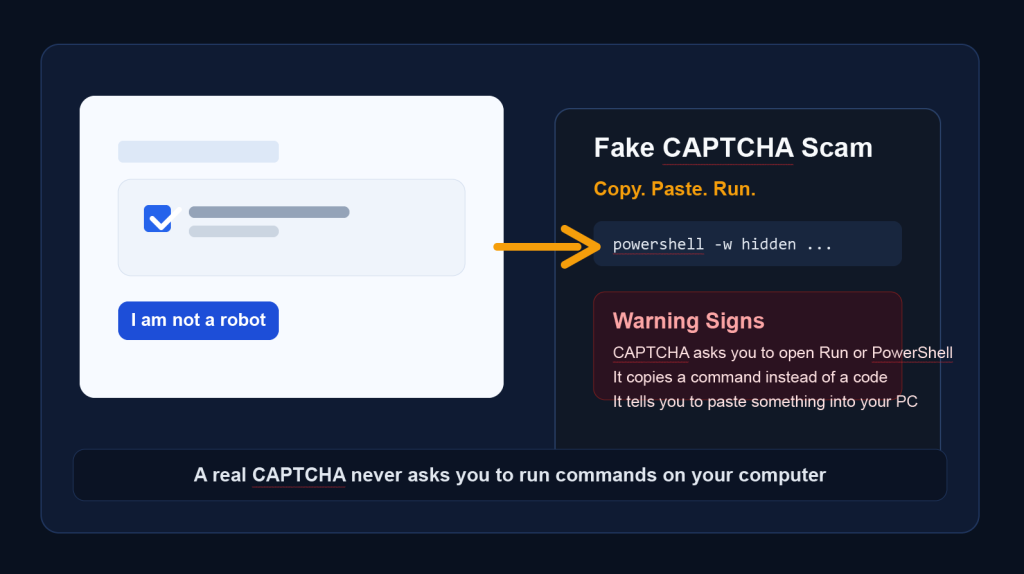
The attack usually starts with a fake website, malicious advertisement, compromised page, or phishing link. Once someone lands on the page, they are shown what looks like a normal CAPTCHA or anti-bot screen. Instead of checking images or typing letters, the site tells them to follow manual instructions.Those instructions may say:- Click "I am not a robot"- Copy the verification code- Press `Windows + R`- Paste the code and hit Enter- Or paste it into a browser address bar, Terminal, Command Prompt, or PowerShellAt that point, the attacker has shifted the victim from browsing the web to executing code locally. The command may contact a remote server, pull down additional files, disable protections, install infostealers, or create persistent remote access. In some cases, the malware can harvest passwords, browser cookies, cryptocurrency wallets, documents, or business data within minutes.

Why this trick is effective
This scam works because it blends social engineering with a familiar web action. People are used to CAPTCHAs interrupting browsing sessions. They are also used to copying and pasting codes for logins, support sessions, and verification prompts. Attackers exploit that routine behavior.The fake instructions also create a false sense of legitimacy. If the page uses a well-known logo, polished design, and urgent wording, many users assume the steps are part of a modern verification process. Some victims only realize something is wrong after their machine becomes slow, security alerts appear, or accounts start getting compromised.

What to look out for
There are several warning signs that should immediately raise concern:- A CAPTCHA asks you to copy and paste text anywhere outside the page itself- The site tells you to open `Windows Run`, `PowerShell`, `Command Prompt`, `Terminal`, or browser developer tools- A so-called verification process involves pressing keyboard shortcuts such as `Windows + R`- The page says a copied string is a "verification code" but it looks long, technical, or command-like- The website pressures you to act quickly to continue, unlock content, or prove your session is safe- The page appears after clicking a suspicious ad, pop-up, shortened link, or unexpected search resultA real CAPTCHA does not require you to run commands on your own computer.

What users should do instead
If any website asks you to copy and paste content into a system tool or browser bar as part of a CAPTCHA, stop immediately. Close the page. Do not paste the content anywhere. Do not click through just to see what happens.If you already pasted or ran something:- Disconnect the device from the internet if possible- Contact your IT team or security provider right away- Run a trusted antivirus or endpoint scan- Change important passwords from a different, known-safe device- Revoke active sessions for email, banking, and business accounts- Monitor for suspicious logins, financial activity, or account changesFor businesses, this is also a reminder that user awareness training must go beyond phishing emails. Staff should know that no legitimate website will ask them to execute commands as part of a normal verification step

Bottom line
The old CAPTCHA nuisance is still around, but this newer variation is far more dangerous because it turns a simple "prove you're human" prompt into a malware delivery method. The goal is not just to annoy users. It is to trick them into opening the door themselves.The safest rule is simple: if a CAPTCHA tells you to copy, paste, and run something on your computer, it is not security. It is a scam.